Three simple steps - Integrate, Publish, Sell
1) Create a cloud application and host it in any platform.
2) Integrate the cloud application with Google Apps through abundant Google APIs
3) Create a Manifest file to describe the application and upload it for sales on the Google Marketplace.
Google also introduce Google Apps Script on Mar 10, 2010. Google has provided developer scripting environment to automate actions across Google products like Google Docs and Spreadsheet, Calendar, Sites and others. The new feature introduced is a script gallery. It allows developers to publish their scripts easily and make accessible to everyone.
Steps to publish script; open Google Spreadsheet > Tools > Script > Script editor. In your script editor, Share > Publish.
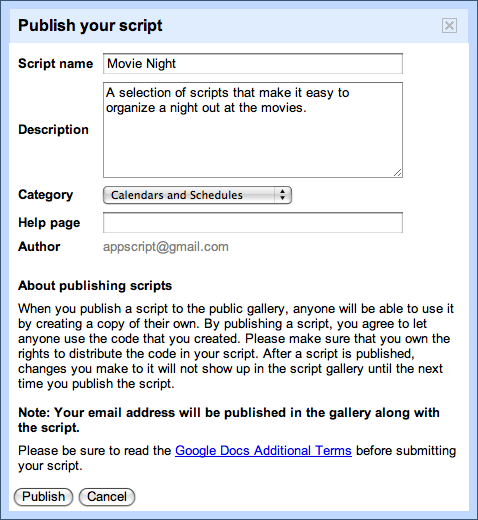
Steps to add script from gallery; You can add script from script editor; File > Add Script from gallery, or insert from Google Spreadsheet > Tools > Script > Insert.
These both new features are making Google Apps more flexible and powerful as thousand of third parties integrated business applications and related professional services are available for more than 2 million Google Apps customers.

No comments:
Post a Comment