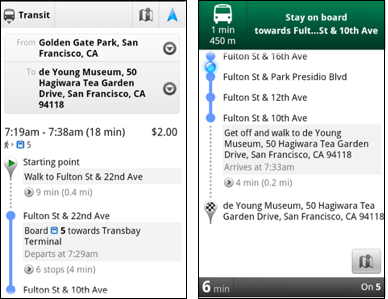
 And Google read my mind! They release a new feature called transit navigation (beta). For those who has used Google Map Navigation feature for GPS turn by turn driving navigation (did I mentioned GPS-guided walking direction?), now it works the same for this public transit direction.
The transit navigation GPS determine your current location along your route and alerts when it's time to get off the train or make a transfer. Awesome! Now I don't have to always hand a transit map with me, or stand next to the transit map in the train. Who want to join me to look like a total pro getting off the train like local!
Here is another useful feature for traveler!
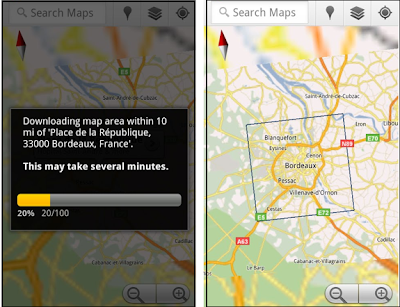 Google map team also releases a new product feature called 'Download Map Area' for android. Google map works like a charm when you have mobile or Wi-Fi signal. However, what about if you travel abroad or at somewhere that doesn't have data signal? Here is their answer for that. Now we could download the map of the particular area for a 10-mile radius ahead of time and we could access to landmarks, direction, satellite view and Places at the later time without data signal.
In order to free up the mobile device memory, the downloaded map will be removed from the cache after 30 days.

No comments:
Post a Comment